Zeniva Picks · Gadgets

SEZNIK NEXA Mini Printer

Print notes, labels and photos from your phone.

  • Inkless thermal printing: no cartridges to buy.
  • Print to-do lists, labels, study notes and photo stickers from your phone.
  • Pocket-sized and rechargeable, perfect for journaling and gifts.
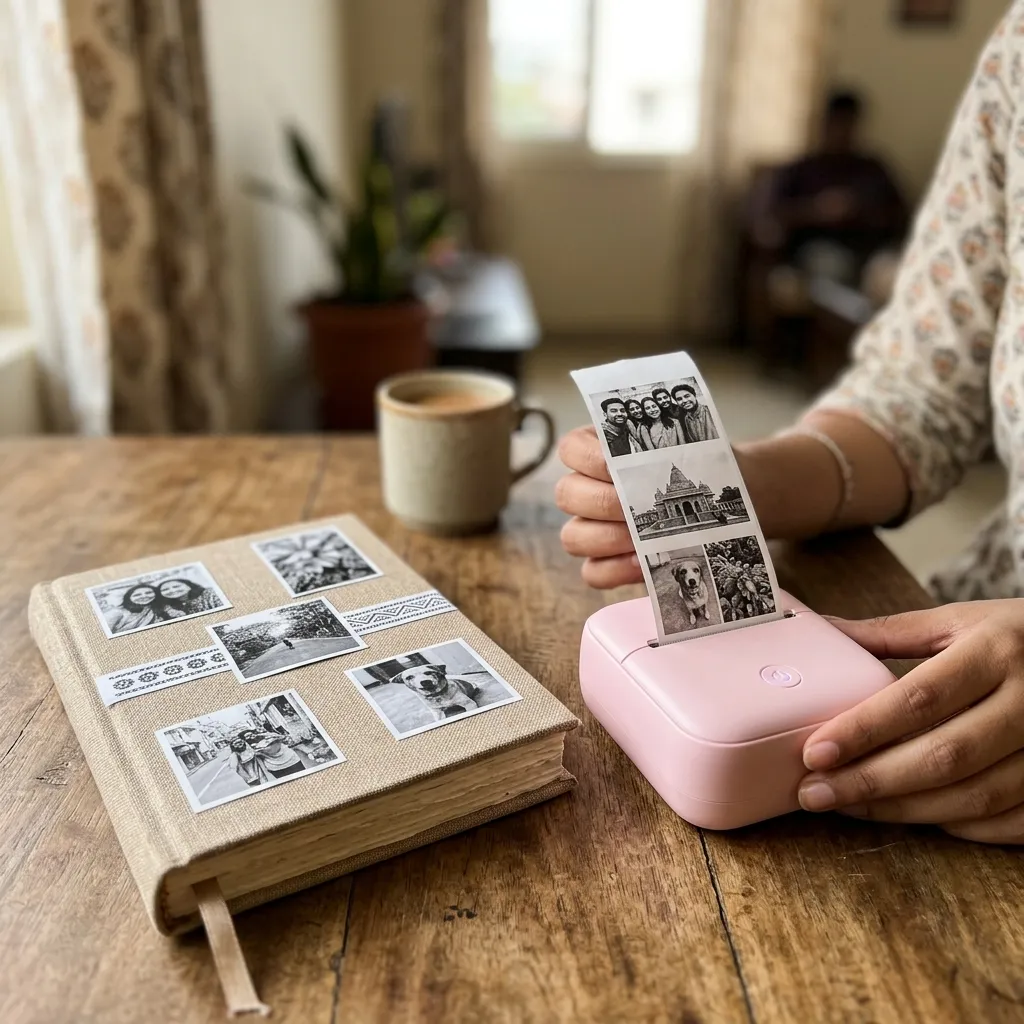
Journal decorated with printed black-and-white photo stickers

The details

Everything at a glance.

The SEZNIK NEXA Mini Printer prints sharp 304 dpi stickers, labels, notes and photos from your phone or laptop with no ink, and comes with 8 paper rolls.

SEZNIK NEXA Mini Printer specifications
PrintingInkless thermal, 304 × 304 dpi
ConnectionBluetooth: Android, iOS and Windows
Battery1200 mAh, USB-C charging
In the boxPrinter, 8 paper rolls, USB cable
Weight180 g
Warranty1 year (manufacturer)

A closer look

Made for every day.

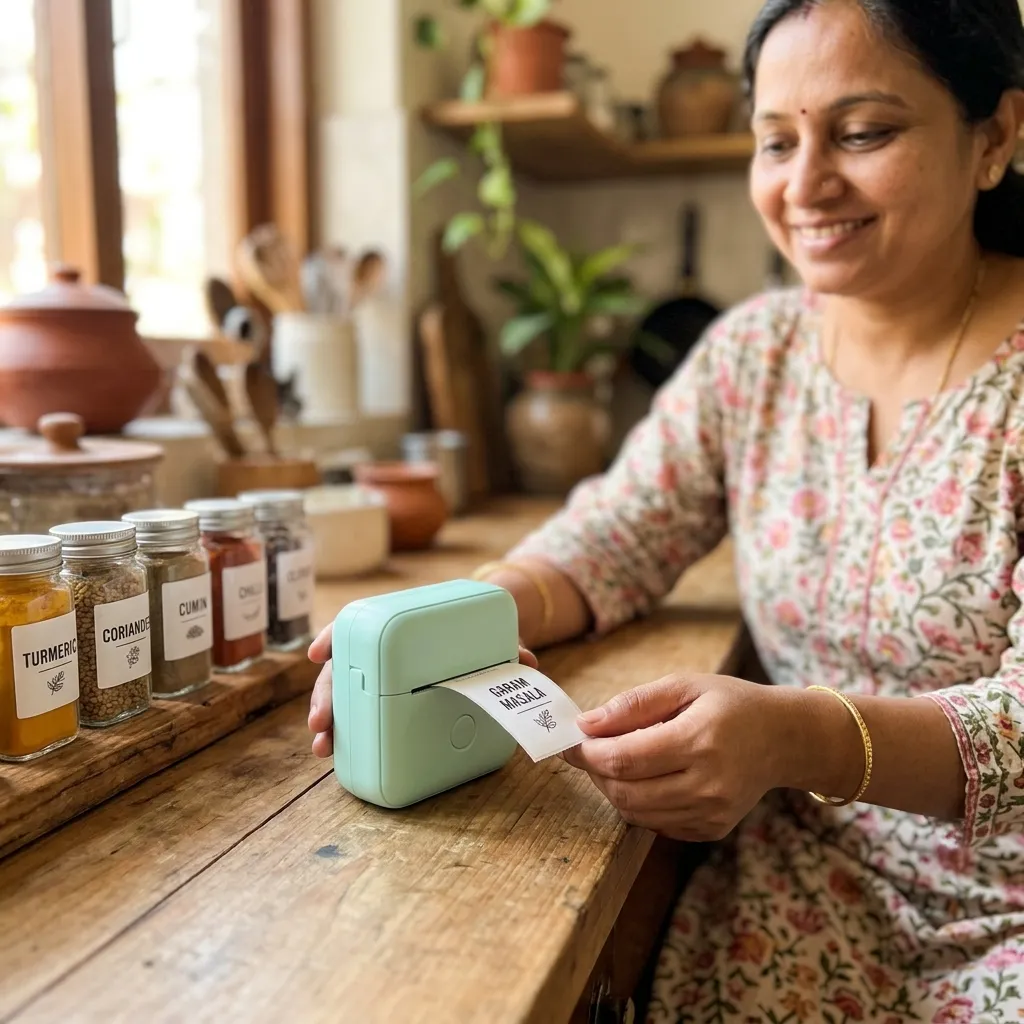
Labelled kitchen jars with printed stickers
Student printing study notes from a phone
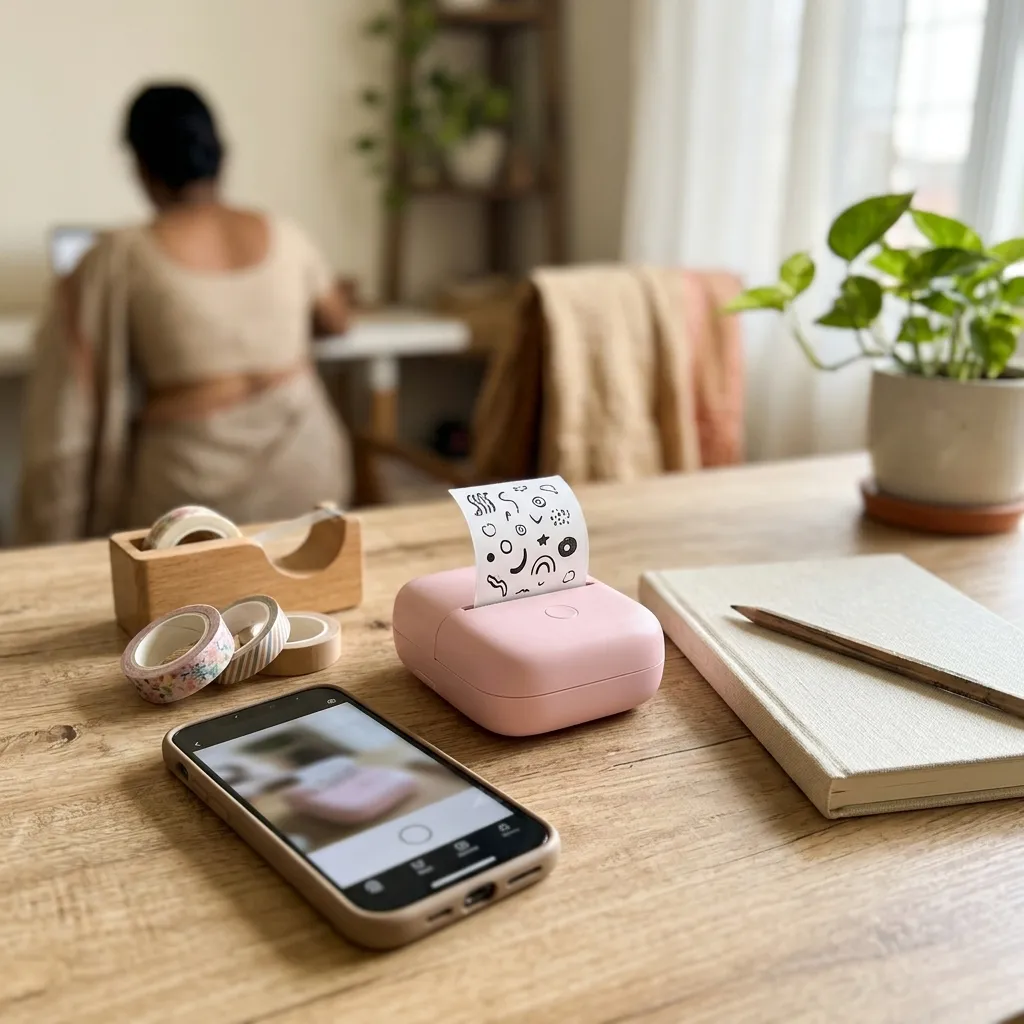
Mini printer next to a phone, washi tape and notebook

Buying guide

Before you buy.

What is a mini sticker printer and how does it work?

A mini sticker printer is a pocket-sized thermal printer which uses heat instead of ink to print on special paper rolls. The SEZNIK NEXA Mini Printer prints at 304 × 304 dpi and connects over Bluetooth to Android phones, iPhones and Windows laptops. In practice, users first design a note, label or photo on a phone or laptop, then send the file to the printer over Bluetooth.

Because thermal printing needs no cartridges, the only ongoing purchase is paper, including sticker rolls. A 1200 mAh battery charges over USB-C, and the printer weighs 180 g, so the NEXA fits in a bag or pencil case. The box from SEZNIK includes 8 paper rolls and a USB cable, with a 1-year manufacturer warranty. Thermal prints can fade over time in sunlight or heat, so important prints should stay out of direct sun.

Is the SEZNIK NEXA Mini Printer right for you?

The SEZNIK NEXA Mini Printer is a good fit for students, journalers, planners and small home businesses who print short notes and labels often. First, use the printer for to-do lists, jar and file labels, and study flashcards. Second, print black-and-white photo stickers for journals, scrapbooks and handmade birthday cards. Finally, store important prints away from direct sun and heat, since thermal paper can fade over time.

For example, a student in Kolkata preparing for board exams could print formula flashcards straight from a phone and stick the cards inside a notebook for quick revision on the bus. Before buying from Amazon.in, check device compatibility with Android, iOS or Windows, and order extra thermal paper or sticker rolls before the 8 included rolls run out. The NEXA prints in black and white, not colour. Charge the 1200 mAh battery over USB-C before a long printing session.
Who should skip it?

Skip this if you need colour photo prints or long-lasting documents; choose an inkjet or photo printer instead.

Good to know

Simple answers.

Does a mini sticker printer need ink?

No, a mini sticker printer such as the SEZNIK NEXA does not need ink. The SEZNIK NEXA Mini Printer uses inkless thermal printing, which uses heat to print on special paper rolls. The only ongoing purchase is paper, including sticker rolls. The box includes 8 paper rolls and a USB cable, so printing can start straight away.

What can I print with a mini sticker printer?

A mini sticker printer can print notes, to-do lists, jar and file labels, study flashcards and black-and-white photo stickers. The SEZNIK NEXA Mini Printer prints at 304 × 304 dpi over Bluetooth from Android phones, iPhones and Windows laptops. Students, journalers and small home businesses use the NEXA for short prints. For colour photo prints, an inkjet or photo printer is the better choice.

Will mini sticker printer prints fade?

Yes, thermal prints from a mini sticker printer can fade over time in sunlight or heat. Keep important prints from the SEZNIK NEXA Mini Printer out of direct sun, or use higher-quality thermal paper. For long-lasting documents, an inkjet or photo printer is the better choice. Short-term prints such as to-do lists, labels and flashcards suit thermal printing well.

SEZNIK

Print notes, labels and photos from your phone.

As an Amazon Associate, Zeniva earns from qualifying purchases. Updated 20 November 2026. We compared the specifications each brand lists on Amazon.in, the warranty terms, and how widely each listing has been bought and rated. We have not lab-tested these products, and prices change, so always check the live listing.